Table of Content
Instal Bootstrap
Anda dapat menginstal Bootstrap menggunakan npm. Buka terminal dan jalankan perintah berikut:
npm install bootstrapAngular.json
Load modules di angular.json
"styles": [
	"src/styles.css",
	"node_modules/bootstrap/dist/css/bootstrap.min.css"
],
"scripts": [
	"node_modules/bootstrap/dist/js/bootstrap.bundle.min.js"
]
Testing
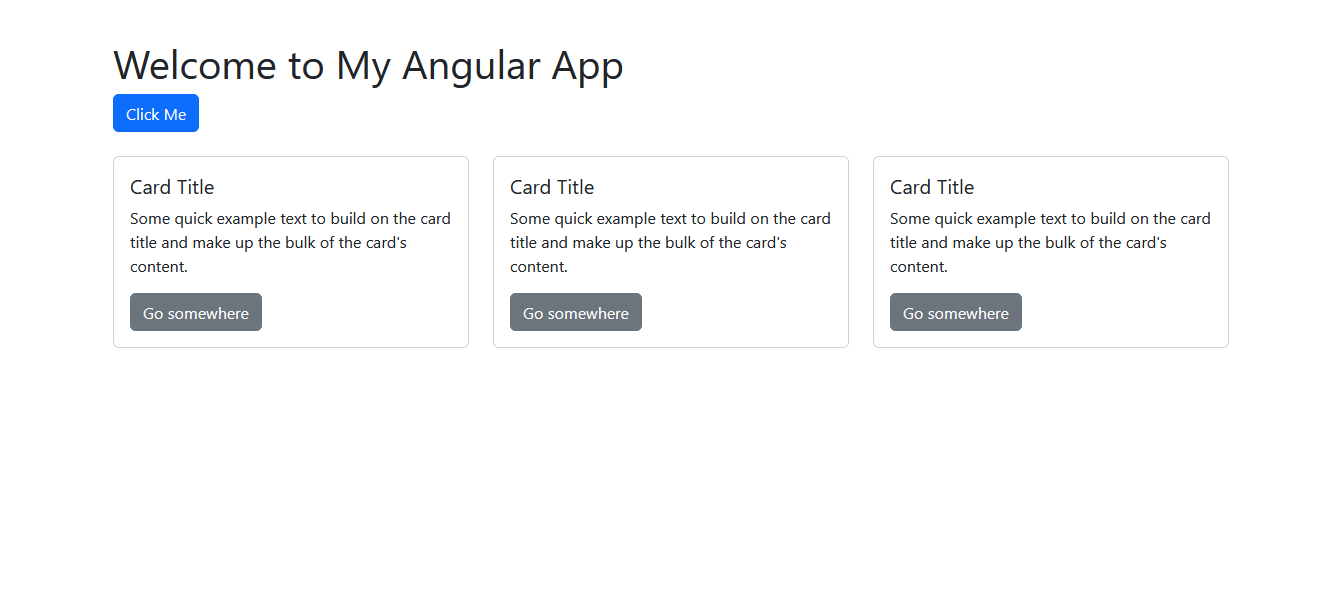
Coba kita ubah src/app/app.component.html menjadis seperti ini
<div class="container">
  <h1 class="mt-5">Welcome to My Angular App</h1>
  <button class="btn btn-primary">Click Me</button>

  <div class="row mt-4">
    <div class="col-md-4">
      <div class="card">
        <div class="card-body">
          <h5 class="card-title">Card Title</h5>
          <p class="card-text">Some quick example text to build on the card title and make up the bulk of the card's content.</p>
          <a href="#" class="btn btn-secondary">Go somewhere</a>
        </div>
      </div>
    </div>
    <div class="col-md-4">
      <div class="card">
        <div class="card-body">
          <h5 class="card-title">Card Title</h5>
          <p class="card-text">Some quick example text to build on the card title and make up the bulk of the card's content.</p>
          <a href="#" class="btn btn-secondary">Go somewhere</a>
        </div>
      </div>
    </div>
    <div class="col-md-4">
      <div class="card">
        <div class="card-body">
          <h5 class="card-title">Card Title</h5>
          <p class="card-text">Some quick example text to build on the card title and make up the bulk of the card's content.</p>
          <a href="#" class="btn btn-secondary">Go somewhere</a>
        </div>
      </div>
    </div>
  </div>
</div>
Hasilnya
DateL 24-03-2025